





Great store. Will be my favorite in the future. Sent quickly. All items are brand new sealed. And the prices are very nice. Separately, I want to thank Álex Guerra, who controlled my order from start to finish. In general, you are great!!
Thank you for the service. Absolutely top
Great comms. Very helpful and reliable all along
Order placed packaged well, dispatch and delivered promptly Would use again. Thank you
42/5000 the best team, both human and technical
No se encontraron posts recientes.
Network and WiFi Equipment
It is becoming increasingly important to have good quality Internet at home or at work. Find here everything you need to install and connect to the Internet. Connect your laptop, mobile, tablet or television.
Router
The router is the main device in WiFi networks. It allows your devices to connect to the internet and communicate with each other directly, creating a local area network (LAN). They channel the data so that each signal reaches its destination. We have wifi routers that in addition to having their network ports have long-range wifi antennas.
Switch
Switches are used to connect several devices to the internet via data cable (UTP). If the router does not have enough RJ45 Ethernet network ports, they can be expanded with a switch.
POE injector
POE (Power-Over-Internet) is used to supply power over Ethernet (UTP) cable with RJ45 connectors. Devices that do not have PoE ports can include this functionality thanks to PoE injectors.
Improve WiFi coverage
Do you want to increase WiFi coverage wherever you want? We offer different elements that will help you achieve this:
Access Points (PAU)
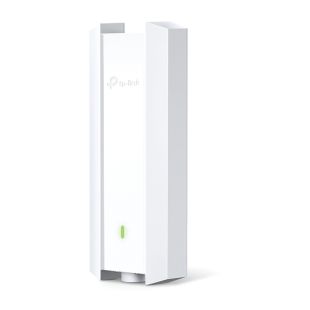
The PAU (access point) generates a new, independent WiFi network with its own IPs. It is connected via WiFi or UTP cabling to the main router. It is very useful in offices, hotels and large companies to prevent access to the information of one network from another.
In ICT installations we will find the access points within the terminal registers of the RTR network, located inside the home. They allow the user network to be delimited from the community network of the building or community.
WiFi Repeaters
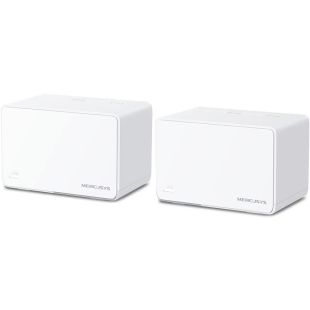
WiFi repeaters or WiFi extenders are devices that, when connected to the mains, replicate the signal from our WiFi router in different parts of the house. We have WiFi routers and WiFi5.
PLC (Powerline Communications)
PLC devices are installed in pairs, one being the transmitter and the other the receiver. Their function is to transmit internet over the power cable. We must connect the router to one of the adapters and plug it into the mains, and the second adapter will provide coverage in the area where it is plugged in. The connection can be wired or wireless.
WiFi Antennas
WiFi antennas are bi-directional antennas that are used to transmit or receive the internet signal over the WiFi network. They are a passive element that does not provide any additional power to the signal, but simply redirects it. Both antennas must face each other with a direct line of sight.
4G Zone
First of all, it should be noted that this is not a simple installation. 4G/LTE antennas are used to access 4G in areas where the signal hardly reaches. They must be located in areas with a minimum of coverage, in order to be able to move the signal to the desired location. They are passive elements.
CPE - Point-to-Point / Multipoint
The main function of CPE antennas is to expand the wifi signal over long distances (up to 25km) without the need for cabling. For this we can create 2 types of links:
- Point-to-Point links: Two CPE devices facing each other with direct vision. A transmitter with access to the main network and a receiver that distributes the signal elsewhere.
- Multipoint links: Main CPE emitter with Internet access that broadcasts to several receiving CPEs located in different locations. The receiving CPE antennas logically point to the sender.
Wired Internet
As for wired internet, CoaxData is a system that converts a coaxial television network into a high-speed local network without installing additional structured cabling. It mixes the internet with the TV signal and distributes it all over the coaxial cabling.
UPS
Protect your WiFi equipment against power outages or mains power surges with uninterruptible power supplies (UPS).